





Tips on recognizing and defeating website malware


 MANILA, Philippines – The Internet is a general service in the Philippines, benefiting nearly 30 million Filipinos for everything from looking for a place, reading news, shopping and connecting with others through social networks.
Lately, however, virus authors have been creating malicious software specifically targeted to infect websites. The idea is to infect a website and let the infection spread by infecting the PCs of the site’s visitors. Unfortunately, website administrators might not know their sites are infected.
Marta Janus, Security Researcher at Kaspersky Lab, a leading developer of secure content and threat management solutions, said in a report there were incidences of website owners complaining that a Kaspersky Lab product incorrectly blocks access to their portal and it must be a false alarm as they do not host any malicious content.
“Unfortunately, in most cases they are wrong and malicious scripts can indeed be found within their websites, injected into their sites’ original code,” said Janus.
“These scripts redirect visitors to malicious websites. In most cases, the execution of malware is completely invisible to the user, who sees the website appearing to operate as usual,” she said.
This is a result of drive-by download where the computer becomes infected just by visiting a website which contains malicious code.
Malicious code exploits vulnerabilities in software running on the user’s computer (like Java, Flash, PDF viewers, browser plugins, etc.) to silently install itself on an attacked machine.
Janus said that the cybercriminals who created the codes have different evil goals. These include widening their targets for spamming and phishing, stealing content and passwords, hijacking Internet traffic, promoting illegal activities, among others.
“Generally speaking, there’s nothing new here. It’s indirect financial gain that drives cybercriminals to infect websites,” said Janus.
Identifying the culprit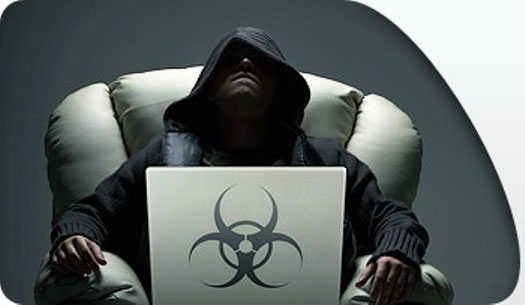
There are ways for website administrators to identify if their website has been infected. Among the most obvious ones are:
1. users complain that the website is blocked by the browser or security software 2. website is blacklisted by Google or added to some other database of malicious URLs 3. significant change in traffic and/or drop in search engine rankings 4. website doesn’t work properly, displays errors and warnings; and 5. after visiting the website, computers show strange behavior.
The infections usually remain unnoticed for a long time, often because of the level of sophistication of the malware. Some of these malware’s codes are usually obfuscated or obscured, thus misleading the administrator that their website is still clean.
“If you do not notice any of the above mentioned symptoms it’s a good indication that your server is clean, but always be on alert for any suspicious activities,” Janus warned.
Cleaning tools
When an infection is indeed found, there are still ways to remove it. Janus said if there are any symptoms of possible infection, the website has to be deactivated until the problem has been resolved. This is really essential, as every moment of delay acts in favor of the cybercriminals, exposing more potential victims to the problem and spreading the infection over the Internet. The administrator also needs to check the server logs to see if there are any suspicious activities, like strange requests from IP addresses located in unusual countries, and so on.
Other methods of fighting malware in an infected site include backing up content, website scanning using online or installed security applications, and manually removing them. The latter method is one where the website administrator needs to be very careful with. This means having to look at all the codes in their website and finding out codes that look obscure and unreadable.
“Code obfuscation is a common technique for malware writers and it’s relatively unusual for any other website-related software. If you haven’t obfuscated the code yourself, you have every reason to be suspicious about it. Do be careful, though – not all obfuscated code will prove malicious!” Janus said.
Website security basics
Nothing beats having all the preventive measures than just the cure for malware attacks. Janus emphasized on a number of basics that website administrators must have if they are to ensure the safety and security of their websites and their visitors:
* Use of strong passwords However trivial it may sound, this really is the foundation of server security. Passwords should not only be changed after any malware incident and/or attack on the server – you should change them on a regular basis – say, once a month. A good password should meet specific criteria, which you can read about on our website [https://www.kaspersky.com/passwords ]
* Being up-to-date The next thing to remember is to perform regular updates. Cybercriminals tend to exploit vulnerabilities in software, no matter whether the malware is aimed at PC users or at websites and web servers. All the software that you manage from your server account should be the newest possible versions and every single security patch should be applied as soon as they are released. Keeping all software fully patched and up-to-date will decrease the risk of an exploit-based attack. A regularly updated list of known vulnerabilities can be found on https://cve.mitre.org/
* Creating frequent backups Having a clean copy of server content will certainly save you a great deal of time and effort – not to mention that a fairly recent backup may prove very useful when dealing with other problems, as well as infection.
* Regular file scanning Even if there are no visible infection symptoms, it’s good practice to scan all server files once in a while.
* Taking care of PC security As a great deal of website malware is spread with the use of infected PCs, the security of the desktop computer used to manage your website is one of the most important aspects of website security. Keeping your computer clean and safe at all times will significantly improve the chances of your website staying safe and clean as well.
* Server hardening If you own the server, you should pay attention to configuring it as securely as possible. Such activity may include, but is not limited to: 1. removing all unused software 2. disabling all unnecessary services and modules 3. setting appropriate policies for users and groups 4. setting secure permissions / restricting access to certain files and directories 5. disabling directory browsing 6. collecting log files, which are checked for suspicious activity on a regular basis, and 7. using encryption and secure protocols.


