It was sometime last year that a friend told me how he had ditched his huge gaming PC in favor of a small form factor PC. I initially thought this was some terminology that he invented, but apparently it’s more than a name: it’s a movement. The Small Form Factor PC movement is a rebuke of large gaming PCs, usually with RGB lighting in favor of smaller, compact, cleaner devices that are just as powerful. But portable.

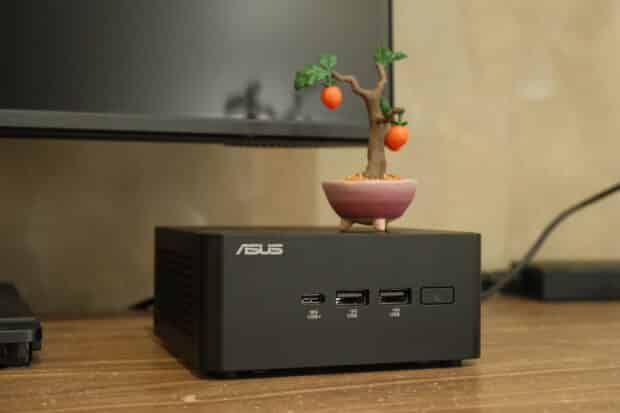
The philosophy behind it is that of a coming of age. There was a time when bigger rigs meant more serious business in PC computing. Add the flickering RGB lighting, liquid cooling, and other doodads, you are left with a PC meant to be shown off as a desktop centerpiece. But through the years, as technology has gotten better and smaller, you now have phones that can run AI locally. So what is stopping the desktop from adapting to the sign of the times?
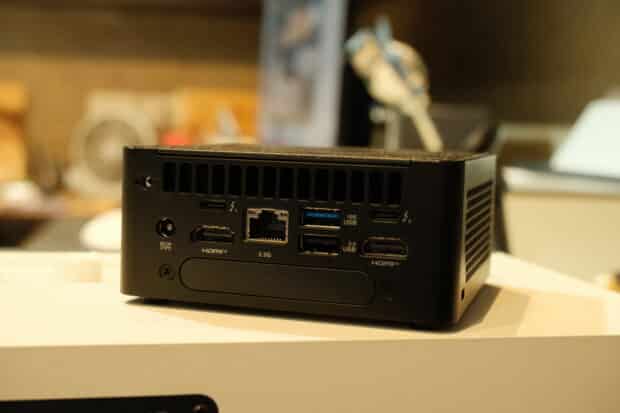
The Small Form Factor PC or SFFPC movement trades loudness for efficiency. If you live in a 25 square meter studio condominium, a tiny desk doesn’t leave a lot to the imagination. Yet I felt challenged to see what I could fit on top of a 1 foot by 3 feet desk using one of the more popular SFFPC configurations – the ASUS NUC.15 Pro. The space it saved at home wasn’t just aesthetic. It changed how the desk functioned. There was suddenly room for a notebook. Another laptop. A plant. If you’ve ever tried to balance a 27-inch monitor, a full keyboard, speakers, and a hulking tower on a one-meter desk, you know exactly what I mean.
In a typical work-from-home or BPO setup, the daily grind is far from glamorous: a CRM dashboard. Slack. Teams. Zoom, all running at once. The NUC 15 Pro doesn’t strain under that kind of load. Built on the Intel Core Ultra (Series 2) architecture, it delivers up to 99 platform TOPS for AI-assisted tasks, far beyond Microsoft’s minimum of 45 TOPS for the first wave of Copilot+PC devices.
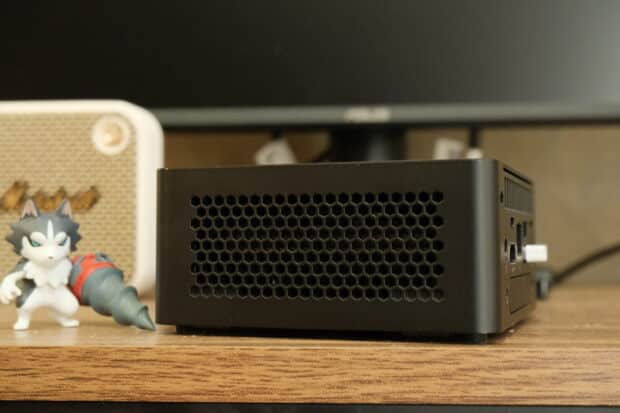
Part of my philosophy in shifting to these SFFPCs is that removing clutter must go the extra mile. This means that the small footprint should also take into consideration cable discipline. I’ve managed to keep this setup completely wireless for peripherals with both wireless mouse and keyboard and WiFi7 support. Windows 11 supports wireless displays so that could also be pushed even further.
Although this particular SFFPC isn’t really meant for gaming, the Intel ARC 140T integrated graphics card is faster in performance than flagship handheld devices like the MSI Claw. It can run games like Wuthering Waves and The Finals on medium settings.
Small form factor PCs often feel frozen in time because they don’t look upgradable, as they resemble gaming consoles more than anything. On this device, the Tool-less Design 2.0 uses a spring-loaded lever that lets you open the chassis with one hand without the need for screws. The device comes with two SODIMM slots supporting up to 96GB of DDR5-6400. A primary PCIe Gen 5 NVMe slot plus a secondary M.2 for expansion.
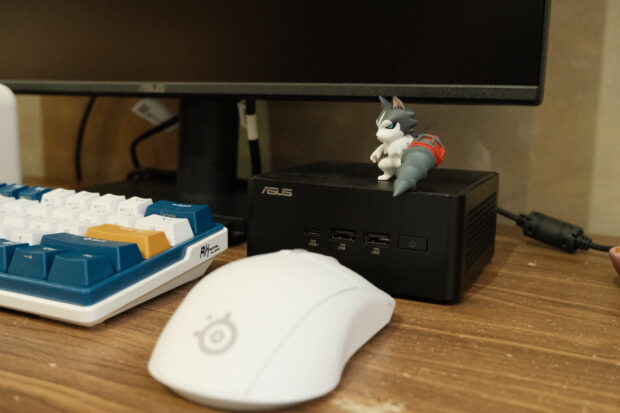
The NUC is best paired with a VESA bracket that comes with most ASUS monitors. The one we have comes with a typical monitor stand with a slot for your mobile phone.
For BPOs and corporate offices, you get scalability plus enterprise-grade security through Intel vPro and fTPM 2.0. For hotels and cafés, you get a small footprint and quiet cooling that customers won’t even notice. For retail displays, it can drive up to four 4K screens via Thunderbolt 4 and HDMI 2.1 without looking like a science project behind the counter.
In terms of the SFFPC movement, there are of course other brands that you can buy from your neighborhood Datablitz, but ASUS has always taken this trend quite seriously with the NUC series expanding even to gaming with the ROG NUC 970. The ASUS NUC 15 Pro starts at P31,000 for the basic configuration. For monitors, I’ve scoured the Internet and the ASUS VA 249 23.5″ monitor is the most affordable one for P6,950 only.