Google recently kicked off its Google I/O 2026 event this May 19 2026. From the Googlebook to Adobe Premiere Pro for Android, let’s take a look at the new things Google has in store for Android users across the globe.
Here’s a summary of new products and features that every Android user needs to know!
AI Agents in Android
Back in February, Samsung debuted its agentic AI features for the Samsung Galaxy S26 Ultra. This feature enabled AI automation across chosen apps in select countries. At Samsung Unpacked 2026 in San Francisco, we were shown how Gemini Intelligence could help you book a reservation at a restaurant or order Uber Eats by just chatting with your friends and allowing Galaxy AI to read and contextualize your conversations to execute tasks. It turns out that Google was fine tuning this service since Samsung Unpacked and is now rolling it out across the Android universe. For the Philippine market, app compatibility is still a huge question mark so hopefully we will be able to see integrations from our favorite apps like Agoda and Grab (among others) soon.

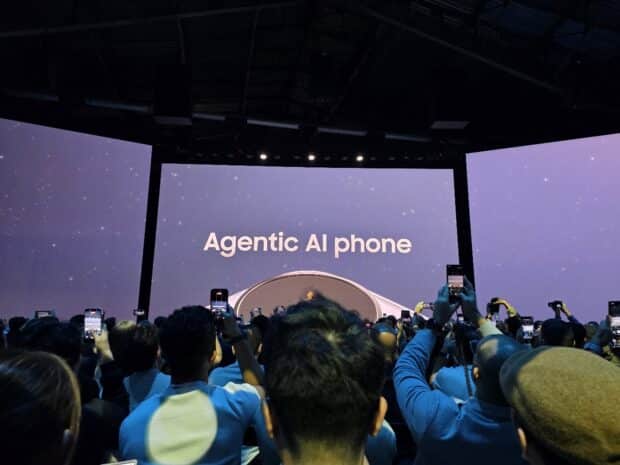
With AI powered features, users have granular authority to opt-in and out of entire features or disable specific components at any time. By putting the choice in your hands, we ensure that AI assistance feels like a helpful partner rather than an intrusive presence.
Users have the choice to explicitly enable or disable entire AI features, with granular control over specific parts. For example, connecting Gemini to Autofill with Google is strictly opt-in.
Introducing the Googlebook
It’s been 15 years since the launch of the Chromebook, an affordable alternative to a laptop with Chrome and the Internet as the focus. With the unprecedented developments in AI, the Googlebook is the next iteration in this space. What differentiates the Googlebook from its predecessor is AI capability, with Google fully committing to this AI future with the reinvention of the mouse cursor.

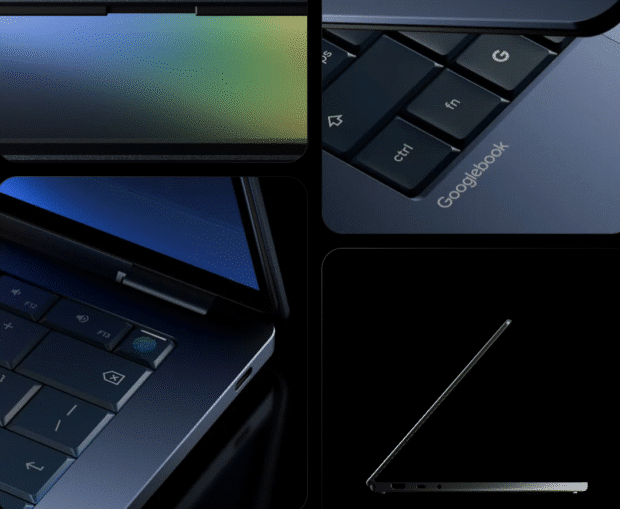
The Googlebook’s most notable feature is how it reimagines widgets. It brings the power of AI Studio down to the masses allowing anyone to create their own custom widgets by just typing a prompt.
Taking a cue from Apple’s Macbook and iPhone ecosystem, Googlebook pairs extremely well with your Android phone. You can seamlessly run an app on your phone and quickly pick it up on your Googlebook’s larger screen.
Google is working with ASUS, Acer, HP, Lenovo, and other laptop brands to bring Googlebook to the masses.
AirDrop and Quick Share compatibility across Android
Earlier this year, Samsung announced cross-compatibility between Quick Share and AirDrop, bridging the iOS to Android file sharing ecosystem. Turns out, this was a test bed rollout for the Android ecosystem in general. Google has announced the rollout for more device brands including OPPO, OnePlus, Vivo, Xiaomi and HONOR this year.

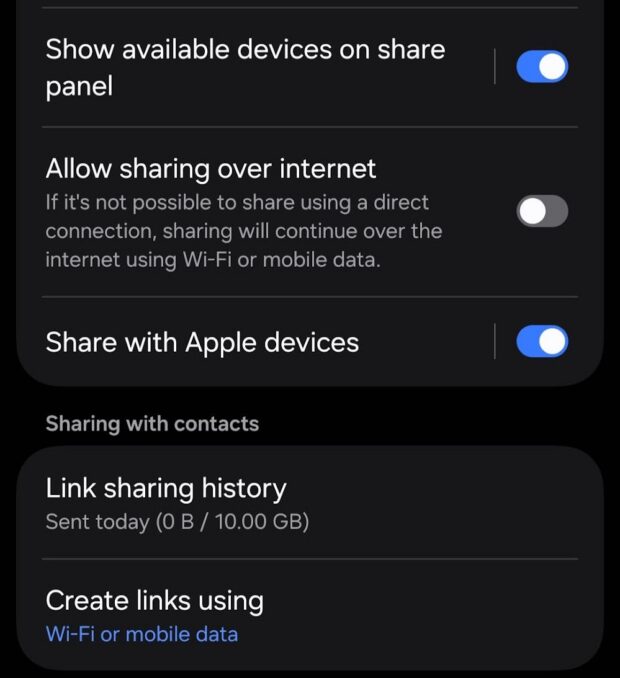
If you don’t have a compatible device, you can use Quick Share on any Android phone togenerate a QR code, which will let you instantly share with iOS devices via the cloud. Soon, Quick Share will also be enabled within apps such as Whatsapp.
You can Ramble to Gemini
Google has introduced a new feature to Gemini called Ramble. It’s for people who have a hard time getting to the point or making a decision — essentialy rambling. Google listens to your conversation and is able to pick out the most contextual pointers of what you want to achieve.


Screen Reactions and enhanced Edits app for Creators
Made specifically for creators who like to make reaction videos or simply find fun ways to react to clips of your friends, Screen Reactions allows you to record yourself reacting live to video content without the need for a green screen.
Google is also releasing exclusive enhancements to Instagram’s Edits app that work towards upscaling, better night footage, and stabilization when recording video.
Optimized video uploads on social
You know how many people have pointed out that they prefer watching videos on social media recorded on an iPhone because it just looks better? Well this isn’t a myth because there has been some bias towards the iPhone and social apps with the way data is interpreted after uploading. Social media apps have long been optimized for the iPhone because the ecosystem is less fragmented. But this is changing. Google has worked to improve this experience and tests have shown that high-end Android phones can achieve the same post-upload clarity and quality as its iOS competitor.
Anti-scam bank verifications, anti-SMS forwarding, anti-accessibility loophole
Google is working with several banks to implement verified phone calls through multiple security layers. According to Google’s press release, “When you receive a call that appears to be from your bank or financial institution, Android asks the app for confirmation to see if they are actually calling you. If the app confirms that no phone call is being made, the system ends the call. Your bank or financial institution may also designate numbers as inbound-only, meaning they never use them to call customers. Incoming calls from these numbers will be ended directly. This (also) covers SMS forwarding, where an app forwards a message to another number, and accessibility overlay, in which an app uses the accessibility permission to continuously display imperceptible content on the screen that could be used to trick you into taking an unintended action.”


For the banking partners, there is no roll-out yet for Philippine banks but so far this new program will debut with Revolut, Nubank, and Itau and will run on Android 11 devices and up.
Adobe Premiere rollout on Android, better Instagram on tablets
The Adobe Premiere app is coming to Android this summer. With Premiere, you will get access to exclusive templates and effects to create and post YouTube Shorts from the app.
For professional filmmakers and content creators, the APV (Advanced Professional Video) format will be rolled out to more devices. APV is the industry’s most storage-efficient professional video format. It is co-developed with Samsung and currently available on the Galaxy S26 Ultra and vivo X300 Ultra. More Snapdragon 8 Elite-powered flagship devices will adopt this soon.
A better Google Maps for Android Auto
Android Auto has just gotten an upgrade with more immersive 3D maps, a revamped UI making use of Google’s WearOS wearble UI and skins.
Temporary location sharing
Google has also implemented a feature that many users have been asking for — temporary location sharing. Many apps like Swarm have an “all or nothing” location sharing prompt where users need to surrender their geolocation services to be always on to use. Google has implemented temporary location sharing as a security and battery saving mechanism.
Finally, upgraded 3D emojis!


Google has taken the lead to launch fun new 3D emojis that will be rolled out starting with Pixel phones, GBoard, and then into the rest of the Android phone universe in the succeeding weeks. This is a new refresh for emojis that will make icons look more sleek and modern.